What it means
F15 means different things on two Electrolux oven controls. On the ES630 it is a controller self check failure; on the 2017 modular control it is a keyboard error. Reset the power for 30 seconds, then book a technician if F15 returns.
Electrolux oven F15 / Control panel
F15 means different things on two Electrolux oven controls. On the ES630 it is a controller self check failure; on the 2017 modular control it is a keyboard error. Reset the power for 30 seconds, then book a technician if F15 returns.
Also shown as F15
F15 means different things on two Electrolux oven controls. On the ES630 it is a controller self check failure; on the 2017 modular control it is a keyboard error. Reset the power for 30 seconds, then book a technician if F15 returns.
The model number decides: EW30EW55PS, EW30EW65PS and EW30DS80RS use the ES630; EI30EW38TS and EI30EW48TS use the modular control.
F15 returns after the 30-second power reset.
Your checklist, kept on this device
The model number decides: EW30EW55PS, EW30EW65PS and EW30DS80RS use the ES630; EI30EW38TS and EI30EW48TS use the modular control.
Cut the supply for 30 seconds and bring it back. The modular sheet gives this step.
On modular ovens F15 is a keyboard error, so make sure nothing rests on the panel.
A dead keypad or a failed start points at the keyboard; a control that restarts points at the self-check.
ES630: verify 120VAC at the relay board and the wiring to the display board. Modular: replace the control assembly if it returns at power-up.
Send us the model and the checks you have done, and open your request here.
Book a visit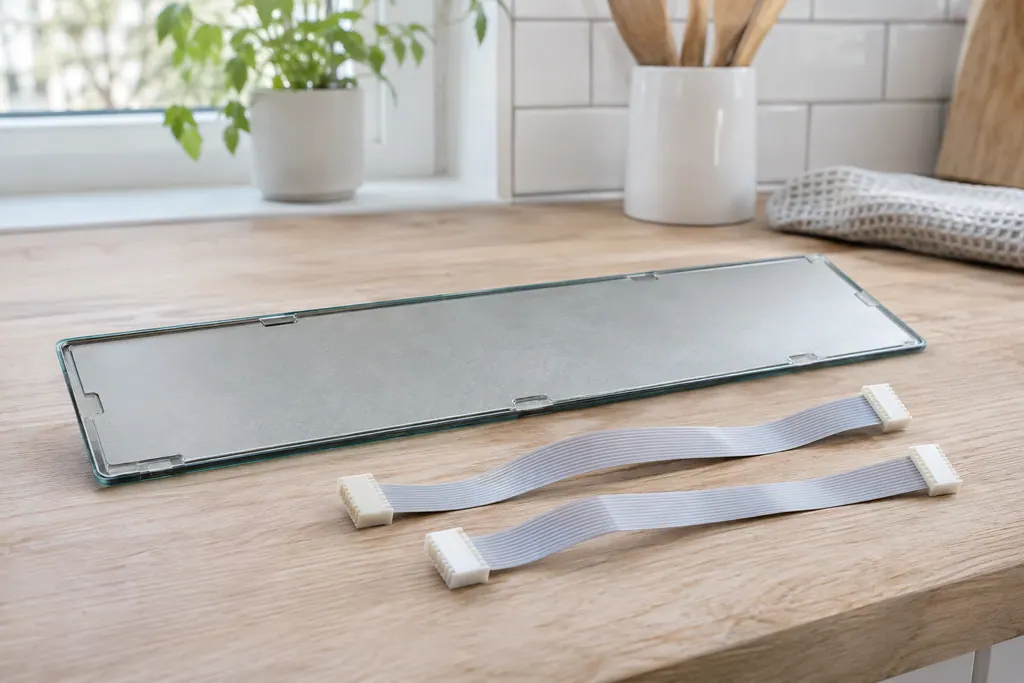
A simplified drawing, since layouts differ between models. Pick an outlined part for its photo and the related check.
The controller's self check failed. The sheet verifies that the relay board gets 120VAC between J4 pins 1 and 3, then the wiring between J2 on the relay board and P16 on the display board.
Read the supporting manualA keyboard error. Disconnect power, wait 30 seconds and reapply; if it returns at power-up, replace the control assembly.
Read the supporting manualThe two controls were built to different designs and label the same number differently. Do not use one sheet's meaning on the other control.
Read the supporting manualF14 is the ES630 keyboard cable row, and the modular control uses F15 for its keyboard error.
Read the supporting manualManufacturer document
Electrolux (technician sheet; retailer-hosted copy)
Models: EW30EW65PS
p/n 807436903 (Rev A 13/04) / PDF p.1 (EOC code descriptions)
Manufacturer document
Electrolux (technician sheet; retailer-hosted copy)
Models: EW30EW55PS
p/n 807436904 (Rev A 13/04) / PDF p.1
Manufacturer document
Electrolux (technician sheet; retailer-hosted copy)
Models: EW30DS80RS
p/n 807880710 EN (Rev A 16/02); 807880711 FR (Rev A 16/03) / PDF p.1
Manufacturer document
Electrolux (technician sheet; retailer-hosted copy)
Models: EI30EW38TS
p/n A00980644 Rev A (2017/05) / PDF p.1
Manufacturer document
Electrolux (technician sheet; retailer-hosted copy)
Models: EI30EW48TS
p/n A00980645 Rev A (2017/05) / PDF p.2 (code table)
Row F15 of the ES630 sheets (807436903, 807436904, 807880710) and the modular sheets (A00980644, A00980645). The two controls word it differently.
Match the model number: ES630 or modular. The label inside the oven frame shows it.
A power reset is safe. Voltage and wiring tests are for a technician.
On the ES630 that is the step after the supply and wiring pass.
For F15, the model number, what the display and keys do when F15 shows, and whether the oven is an ES630 or a modular control.
Codes, symptoms, parts and service
F14 on an Electrolux oven means a misconnected keyboard cable, but only on the ES630 control. The sheet describes two ribbon cables between the display board and the touch panel. Modular ovens print no F14. Book a technician; do not pull the cables yourself.
The written Electrolux articles say little about setting the clock or timer, since its display-settings guide is a video. What they do cover is a display or keypad that acts up: a stuck key (F11), memory and cable errors (F13, F14, F15), Demo mode and a power reset.
Book a diagnostic for your model at the appliance.
Office details and the access information to pass on.