On this page
- Typical cleaning: three hours or the medium soiled setting. 1
- The latch holds until the oven cools, then releases by itself. 1
- F90 to F94 is the door lock group on the Owner Center. 2
- ES630 ovens print F90; the 2017 modular control also prints F95, F96 and F97. 34
- Check that your model has a self-clean function before using these steps. 1
How do I set an Electrolux oven to self-clean?#
Remove the oven racks, set the control to clean, choose a cleaning time or a level (light, medium or heavy soiled) and press Start. Electrolux recommends three hours or the medium soiled setting for typical cleaning. Not every model has a Clean function, so check yours. 1
For a delayed start, Electrolux points to the use and care manual rather than describing it. 1
- 1
- 2
- 3
- 4
- 5
Why does the door stay locked?#
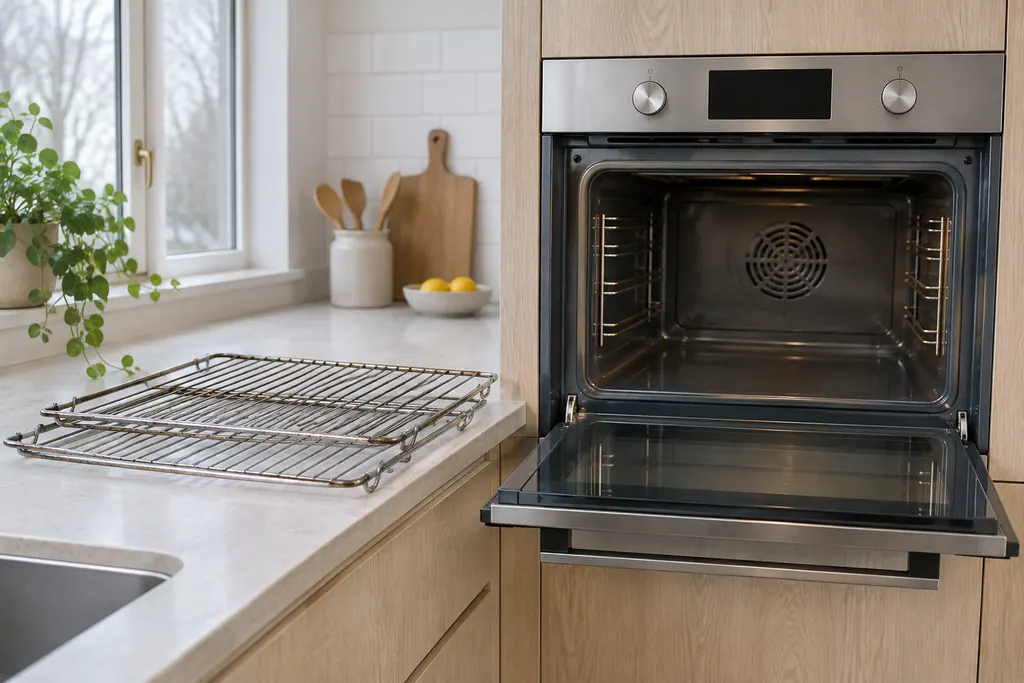
The latch engages for safety and holds until the oven has cooled; then it releases by itself. Tugging on the door in the meantime is the one thing to avoid. 1
On the 2017 modular control, the technician sheet has a code for exactly that mistake. F96 means the door was detected open while a Self Clean was running. The sheet says the error occurs when the door switch loses contact, and notes that no one should pull on the door while the cycle runs. 4
It also helps to know what is behind the latch. The glossary entry for the door lock motor explains the part that the lock codes talk about.
What do F90 to F94 mean?#
The Owner Center groups them as a door lock issue. To unlock, press UNLOCK; once the controls and door are locked there is no access to cooking functions. Press UNLOCK again and follow the screen, which shows a code to use. Then cut the oven's power for up to half a minute. 2
Electrolux says that reset will clear most false error codes. You can disconnect power by unplugging the oven or switching the oven's breaker off and then on again. 2
| Code | Control family | What the sheet says |
|---|---|---|
| F90 | ES630 | Door motor mechanism failure; press any key to clear, and if that fails turn power off for 30 seconds and restore it 3 |
| F90 | 2017 modular | Motor door lock failure; the control does not see the lock motor running 4 |
| F95 | 2017 modular | Motor door lock does not stop running, or the lock switch sends an invalid signal 4 |
| F96 | 2017 modular | Door detected open while a Self Clean was running 4 |
| F97 | 2017 modular | Relay board sensed the lock in a state the user interface board did not expect 4 |
Match your table row to your control. The sheets are model-scoped, and the ES630 sheet we read lists only F90 in this group. 34
What the reset does and does not do#
Disconnecting power for 30 seconds is a reset, not a repair. On the modular sheet, the first step for F90 and F97 is the same reset, and then trying the lock or unlock once more. When the code comes back, the remaining steps are about testing the lock motor, switch and relay board, and those need a meter and live voltage. 4
What should I do after the cycle finishes?#
Give the oven time to cool and the latch time to release. Electrolux's self-clean instructions end with that lock note. For the care of the cavity and the racks afterward, follow your own use and care manual. 1
Electrolux's wall oven care article is a video, and there is no text version for us to read, so we do not describe it. 1
What if the oven showed a code before I started?#
Do not start a self-clean on top of a door lock code. Clear it first: press a key, then try UNLOCK, and cut the power for up to half a minute if it stays. F10 is a separate safety alert. 23
For F10 on a standard range or wall oven, Electrolux describes a safety alert, built into the control, for temperatures above normal. Switch the oven off and give it time to cool. That is a different code and a different guide. 2
When does the door lock need a technician?#
Make the booking when F90 to F94 returns after UNLOCK and a power cut, when the door will not unlock in a cold oven, or when a Clean cycle stops on its own with the door closed. The lock motor and its switch are tested with a meter. 234
Next step: \book a visit\, or look over our oven service. The technician agrees the price with you before any work starts. The exact cost is confirmed after the on-site diagnostic. If your unit is under the manufacturer's warranty, the manufacturer handles that repair. We give a warranty on our workmanship.
Sources#
- Range - How do I set my oven or range to self-clean? (KB 1847354)Electrolux / Owner Center knowledge base (owner.electrolux.com) · Owner Center article, cached 10.11.2026 (no edition date printed) · article text
- Oven Error Codes and Alarms GuideElectrolux / Owner Center knowledge base (owner.electrolux.com) · Owner Center article, cached 10.11.2026 (no edition date printed) · article text
- Service Data Sheet, p/n 807436903, "Appliance with ES630 Electronic Oven Control" (EW30EW65PS)Electrolux (technician sheet; retailer-hosted copy) · p/n 807436903 (Rev A 13/04) · PDF p.1 (F90)
- Service Data Sheet, p/n A00980644, "Electric wall ovens with modular oven controls" (EI30EW38TS)Electrolux (technician sheet; retailer-hosted copy) · p/n A00980644 Rev A (2017/05) · PDF p.2 (F90, F95, F96, F97)