On this page
- F14 is on the ES630 control only: two ribbon cables between the display board and the touch panel. 1
- F15 is a self check failure on the ES630 and a keyboard error on the modular control. 12
- The sheets list EW30EW55PS, EW30EW65PS and EW30DS80RS as ES630, and EI30EW38TS and EI30EW48TS as modular. 12
- The Owner Center says a 30-second power reset clears most false error codes. 3
- Both sheets put the touch panel and display board in the technician's hands. 12
Why does F15 mean two things on an Electrolux oven?#
Electrolux wrote two service sheets for two control families. On the ES630, F15 is a failed controller self check. On the 2017 modular control, F15 is a keyboard error. The same four characters, two different rows. 12
This catches people who read one code page and apply it to every oven. The sheets are specific about which models they cover, and F14 shows the same split from the other side: it is on the ES630 sheets and absent from the modular one. 12
| ES630 control | 2017 modular control | |
|---|---|---|
| Models on the sheets | EW30EW55PS, EW30EW65PS (wall ovens); EW30DS80RS (dual-fuel range) 1 | EI30EW38TS (single wall oven); EI30EW48TS (double) 2 |
| F14 | Misconnected keyboard cable 1 | No F14 row 2 |
| F15 | Controller self check failed 1 | Keyboard error 2 |
| Boards named | Display board, relay board, touch panel 1 | Oven user interface board, relay board, touch panel, together as the control assembly 2 |
How do I tell which control my oven has?#
Read the model number on the nameplate and compare it with the models above. The sheets name specific ovens, and an oven that is not on either list may print a different table. 12
Open the oven door and look along the door frame for the label. If your model matches one of the five, you have the control family in the table. If it does not, do not assume. Give us the number and we will match it before we arrive.
The ES630 sheet adds a rule of thumb printed at the top: "F1X" generally implies a control failure, "F3X" an oven probe problem and "F9X" a latch motor problem. 1 So an F14 or F15 is a control matter, not a heating element or a sensor, and no amount of cleaning will help.
What does F14 mean?#
F14 is a misconnected keyboard cable. On the ES630 the sheet describes two ribbon cables between the display board and the touch panel, and the first check is that both are properly connected at both ends. 1
If the cables are good, the sheet moves to the touch panel, and if the code persists, to the display board. 1 It is a short chain, and every link in it sits behind the control. That makes F14 a good example of a code you cannot test from the front.
Our touch panel cable entry shows the part. Keep in mind that a modular oven prints no F14, so if you see it on a modular oven, give us the exact model, because the sheet does not explain it.
What does F15 mean on each control?#
On the ES630, F15 starts with power: the sheet checks that the relay board receives 120 volts AC between J4 pins 1 and 3. Then it checks the wiring between the relay board and the display board, and only then the boards. 1
On the modular control the row is brief. F15 is a keyboard error. The remedy is to disconnect power, wait 30 seconds and reapply it, and replace the control assembly (the oven user interface board and the touch panel together) if the code returns on power-up. 2
The ES630 row ends with replacing the display board and, if the problem persists, the relay board. 1 The two rows are not interchangeable, and neither is a cleaning job.
What can I try before booking?#
Reset the power, keep the panel dry and clear, and note which code returns. The Owner Center's oven guide says to cut power to the oven for 30 seconds, and that this clears most false codes. 3
- 1
- 2
- 3
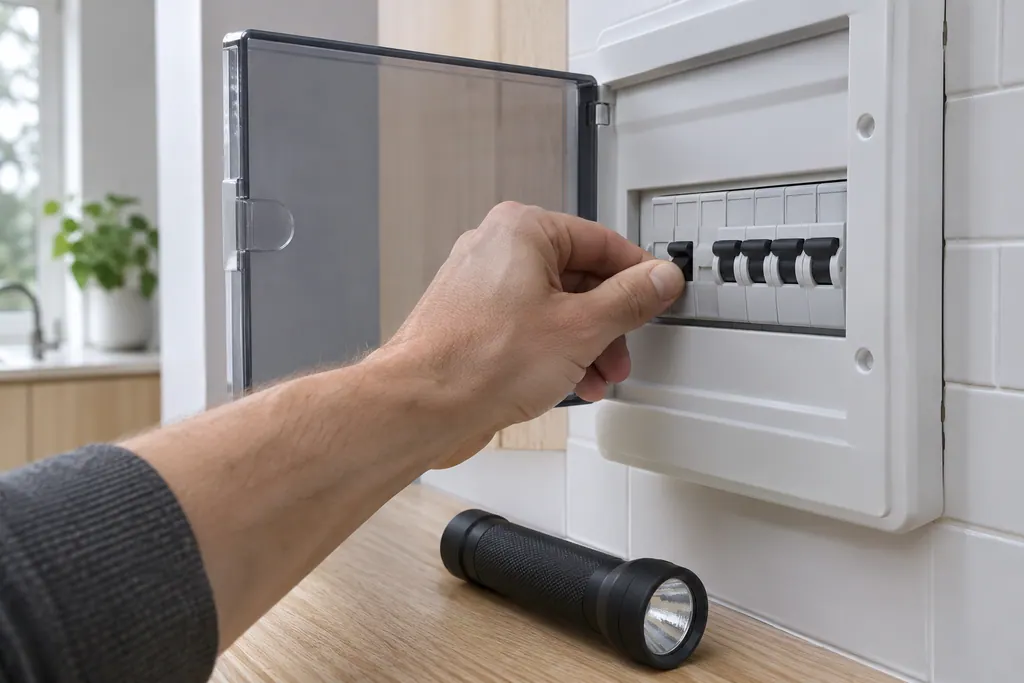
Notice what is not on the list: opening the control. Both sheets call the electronic oven control a board that is not field-repairable, and they are written for people with electrical training. 12
What do F11, F13 and F23 add?#
These are the neighbors you may see with F14 or F15. F11 is a stuck key, F13 is memory failing its check and F23 is a communication failure, but F23 reads differently on the two controls. 12
- F11, stuck key. On the ES630 a key held for a long time terminates all oven activity, and the sheet's first step is a press of any key. On the modular control the threshold is 30 seconds. 12
- F13, memory. The ES630 says the control's internal checksum may be corrupted. The modular sheet says data written to non-volatile memory failed verification. Both start with a 30-second power reset. 12
- F23. On the ES630 it is a failure to communicate with the oven lights control board. On the modular control it is a communication failure between the user interface board and the glass touch panel. 12
The Owner Center also lists demo mode among the oven messages and gives exit steps for it, which are on the demo code page, and the clock and display guide covers the keypad side.
Where do F10, F30 and F90 fit?#
They belong to the other two thirds of the rule of thumb. F30 is an open oven temperature probe and F31 a shorted one. F90 is a door latch motor problem. F10 is a possible runaway oven condition, where the control senses heat it cannot account for. 1
None of these is a keyboard code, so an F14 or F15 does not point at them. If one of them shows together with F14 or F15, report both. See the F10 page for the runaway row.
Can I keep using the oven while the code shows?#
Neither sheet says. The ES630 row for F11 says a stuck key terminates all oven activity, which tells you the control stops cooking when it cannot trust its own keys. For F14 and F15 the sheets give no owner instruction. 12
Our advice is simple. An oven whose control reports a failure of its own checks should not be left unattended with food in it. Reset it once, and if the code is back, stop cooking in it until it has been looked at.
Why do the sheets stress the model number so much?#
Because the parts differ by control. The modular sheet tells the technician to verify that the unit has the proper relay board, user interface board and touch panel based on the model number and the parts catalog, and notes that the control board is not field-repairable. 2
The rows, and the parts behind them, can only be followed once the family is certain.
Does a double oven change which row I read?#
Not on the modular pair. The single (EI30EW38TS) and double (EI30EW48TS) sheets list the same code rows. 2 If you have a double oven, note which cavity showed the code when you book.
What will the technician do?#
The technician matches the model to the right sheet, then follows its chain: cables first on an ES630 F14, power and wiring first on an ES630 F15, a power reset and then the control assembly on a modular F15. 12
Because both families end at boards, a repair can mean a whole control assembly. So the nameplate is the first thing we ask about when parts are chosen.
See the oven repair page for what a visit covers.
Sources#
- Service Data Sheet, p/n 807436903, "Appliance with ES630 Electronic Oven Control" (EW30EW65PS)Electrolux (technician sheet; retailer-hosted copy) · p/n 807436903 (Rev A 13/04); the same table appears in p/n 807436904 (EW30EW55PS) and p/n 807880710 / 807880711 (EW30DS80RS) · p. 1 (EOC error code descriptions: F10 to F90)
- Service Data Sheet, p/n A00980644, "Electric wall ovens with modular oven controls" (EI30EW38TS)Electrolux (technician sheet; retailer-hosted copy) · p/n A00980644 Rev A (2017/05); p/n A00980645 (EI30EW48TS) is the double-oven version · p. 1 (F10 to F45 table)
- Oven Error Codes & Alarms GuideElectrolux / Owner Center knowledge base (owner.electrolux.com) · Knowledge-base page text saved 10.11.2026; no edition is printed on the page · article text