On this page
- The two Owner Center display-and-settings articles are videos with no written steps. 12
- Once the controls and door are locked, the oven offers no cooking functions until you unlock them. 3
- F11 is a stuck key; the ES630 and modular sheets clear it differently. 56
- Unplugging the oven for 30 seconds clears most false codes. 3
- Range indicator lights are status lights, not errors. 4
Where do I set the clock and timer on an Electrolux oven?#
In your Use & Care guide for the model. Electrolux's Owner Center covers the display and settings of its wall ovens and dual-fuel ranges in video articles, and the pages carry no written steps we can quote. 12
That is worth saying plainly, because we will not guess a button sequence. The key layout differs by oven, and the same word can sit on a pad on one model and in a menu on another. Open the guide that came with the oven, or search it by the model number on the nameplate, and follow its clock page.
What the written sources do cover is what happens when the display or the keys misbehave, and that is the rest of this guide.
The display is lit but nothing responds. What now?#
Work through three possibilities: locked controls, a key read as held, or demo mode. The Owner Center and the oven sheets cover all three. 356
Are the controls locked?#
The Owner Center's door-lock entry says that once the controls and the door are locked, there is no access to any cooking functions. The door unlocks with the UNLOCK key. To free the controls as well, press UNLOCK and do what the screen tells you. 3
The screen shows a code to use for unlocking the doors and the controls. 3 Our self-clean guide covers how the door lock behaves around a cleaning cycle.
Is a key stuck?#
F11 is the stuck key code. On the ES630 sheet it means a key has been detected as pressed for a long period, and it ends all oven activity. The remedy is a press of any key. If it returns, the touch panel is replaced, and if that does not help, the display board. 5
On the modular sheet the threshold is 30 seconds. The sheet says to make sure nothing, such as water or a utensil, is in contact with the keyboard. The code should go away once the key is released and Stop is pressed. If F11 comes back when a key is pressed, the condition is still there. 6
Could it be demo mode?#
The Owner Center lists demo mode as a message of its own. To exit, turn the oven off at the breaker, wait 45 seconds, switch it back on, then scroll to demo mode in the settings menu and turn it off. 3
The demo code page has the full entry, and the demo mode guide goes further.
Which first check matches what I see?#
Match what the oven is doing to the quickest check. The sources do not rank causes, so the table follows the order of effort rather than likelihood. 356
| What you see | First check |
|---|---|
| Display lit, keys do nothing | Controls locked, or a key read as held (F11) 356 |
| Display shows demo mode | Exit demo mode from the settings menu 3 |
| An F11, F13 or F15 code | Release the panel, then a 30-second power reset 56 |
| An F14, F23, F28 or F29 code | Power reset; if it returns, the keyboard cable or panel connection needs a technician 56 |
| Display blank, no response at all | Try the 30-second power reset, then book; the sources give no other owner step 3 |
How do I reset the display?#
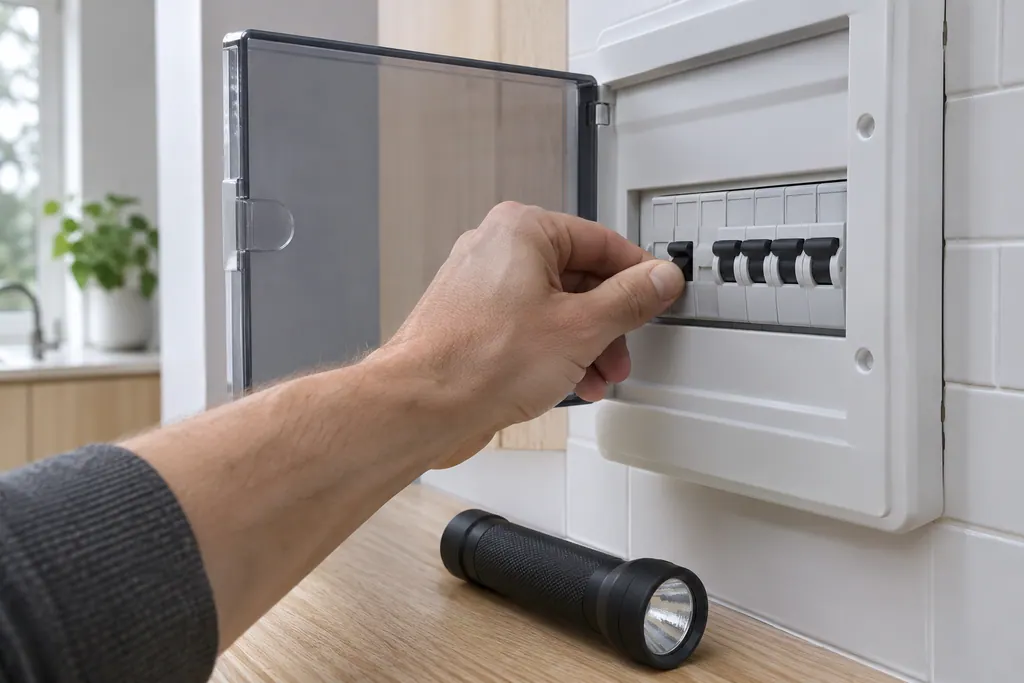
Cut power to the oven for 30 seconds: pull the plug, or flip the breaker off and on if the plug is out of reach. The Owner Center says a breaker reset clears everything on that circuit, and that a reset clears most false codes. 3
- 1
- 2
- 3
What do the keypad codes mean?#
They point at the keyboard, the touch panel, the display board or the memory behind them. The two sheets word them differently, so the table shows both controls. 56
| Code | ES630 control | 2017 modular control |
|---|---|---|
| F11 | Shorted key: a key held down long enough ends all oven activity; press any key to clear 5 | Stuck key: pressed 30 seconds or more; clears once released and Stop is pressed 6 |
| F12 | No F12 row | Keyboard configuration alarm: the touch panel sent a key code that does not match the key map 6 |
| F13 | Internal checksum may be corrupted 5 | Data written to memory failed verification 6 |
| F14 | Misconnected keyboard cable 5 | No F14 row |
| F15 | Controller self check failed 5 | Keyboard error 6 |
| F23 | Failed to communicate with the oven lights control board 5 | Communication failure between the user interface board and the glass touch panel 6 |
The modular sheet adds F28 and F29, where the communication between the user interface and the touch panel cannot be initiated. 6 Our F14 and F15 guide explains why the two controls differ.
For F11 and F13 the first step is owner-sized: clear the key, or reset the power. For F14, F15 and F23 the next steps are cables, wiring and boards. 56
What does a technician do when F11 keeps returning?#
The chain is short on both controls. On the ES630, the sheet replaces the keyboard (touch panel) if F11 returns, and the display board if that fails. 5 On the modular control the technician tests the wiring harness between the user interface board and the touch panel before replacing the control assembly. 6
Both sheets describe the electronic oven control as a board that is not field-repairable, and both are written for people with electrical training. 56 That is why the first half of this guide is about what you can do from the front of the oven, and the second half is about when to stop.
Dual-fuel ranges are covered too. The ES630 table in the sheet for the EW30DS80RS range is the same family of rows, with an extra F20 on top. 5
Are the lights on my range's display errors?#
No. The Owner Center says a range may have two surface indicator lights. The element on light is usually on the display panel and illuminates when a surface element is on. The hot surface light illuminates when any cooking area heats up and stays on until the glass has cooled to a moderate level. 4
A glance at the element on light after cooking is an easy way to be sure all surface controls are off. 4 For problems with either light, the article sends you to the owner's manual, in its section for problems before you ring for help.
What if none of that works?#
A visit is the answer when a code repeats after the reset, or when the keys stay dead with a clear panel and no lock or demo mode. The sheets' remedies for those cases involve the touch panel, boards and cables. 56
Bring the code, if any, the model number and a note on whether the keys respond at all.
The oven repair page lists what an independent visit covers.
Sources#
- How to Use Your Wall Oven: Display & Settings (KB 1853574)Electrolux / Owner Center knowledge base (owner.electrolux.com) · Knowledge-base page text saved 10.11.2026; no edition is printed on the page · article is a video; no written steps on the page
- How to Use Your Dual Fuel Range: Display & Settings (KB 1853172)Electrolux / Owner Center knowledge base (owner.electrolux.com) · Knowledge-base page text saved 10.11.2026; no edition is printed on the page · article is a video; no written steps on the page
- Oven Error Codes & Alarms GuideElectrolux / Owner Center knowledge base (owner.electrolux.com) · Knowledge-base page text saved 10.11.2026; no edition is printed on the page · article text (reset, door and control unlock, demo mode)
- Ranges - What do the indicator lights on my range mean? (KB 1847370)Electrolux / Owner Center knowledge base (owner.electrolux.com) · Knowledge-base page text saved 10.11.2026; no edition is printed on the page · article text
- Service Data Sheet, p/n 807436903, "Appliance with ES630 Electronic Oven Control" (EW30EW65PS)Electrolux (technician sheet; retailer-hosted copy) · p/n 807436903 (Rev A 13/04); the same table appears in p/n 807436904 (EW30EW55PS) and p/n 807880710 / 807880711 (EW30DS80RS) · p. 1 (F11, F13, F14, F15, F23)
- Service Data Sheet, p/n A00980644, "Electric wall ovens with modular oven controls" (EI30EW38TS)Electrolux (technician sheet; retailer-hosted copy) · p/n A00980644 Rev A (2017/05); p/n A00980645 (EI30EW48TS) is the double-oven version · p. 1 (F11, F12, F13, F15, F23, F28/F29)